

Top 16 Browser Extensions For Increased Developer Productivity
A curated list of the best 16 browser extensions that will help developers and improve their productivity

In this article, you can see the top 16 browser extensions for developers. This curated list of the best browser extensions aims to help improve your productivity and save you time.
If you find the article helpful, it would help us a lot if you could share it with others. If you do share it, tag us so we can see it! Thank you!
1. BlockSite
The "BlockSite" extension is excellent for blocking distractions and staying focused. It stops procrastination by allowing you to block distracting and harmful websites.
Each time you try to access a blocked website, you will get an error. Thus, are you addicted to social media websites? No problem! You can block them, so they do not distract you!

The above image shows what you see when "BlockSite" runs and you try to access a blocked website. Also, you can whitelist certain websites and block all the others.
2. Pomodoro Assistant
If you are not aware of the Pomodoro technique, it's a time management method where you use a timer to break down work into intervals. Each work interval is 25 minutes in length, followed by a short break.
Thus, the Pomodoro extension allows you to use the Pomodoro technique. Of course, you can change the duration of the work intervals and breaks. Customize them as you see fit.
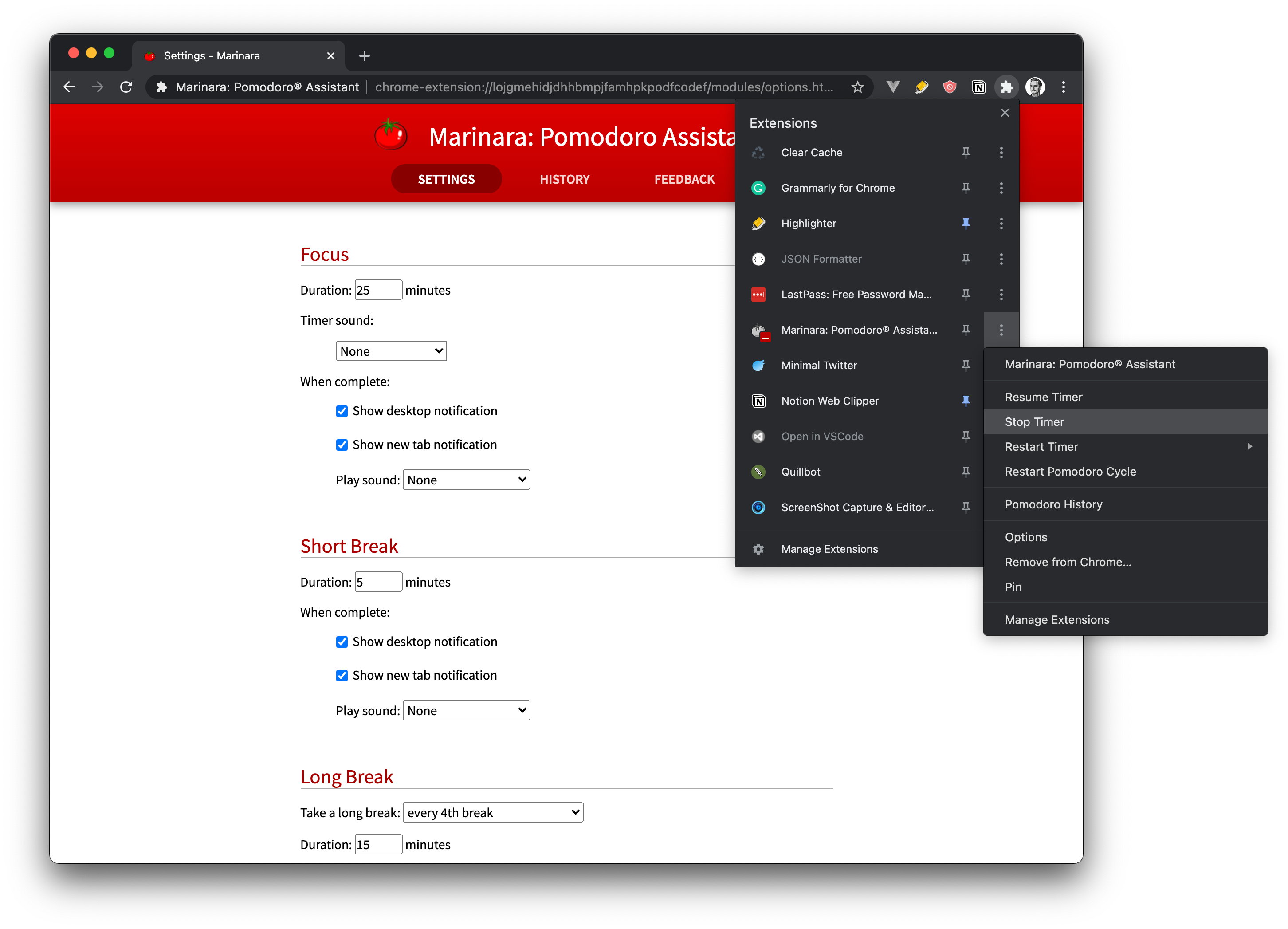
The picture above shows the extension and how customizable it is! See how your productivity increases with this browser extension.
3. JSON Formatter
Working with JSON data in the browser can be a nuisance, especially when there is a lot of data. The extension, JSON Formatter, displays the JSON data in a way that's easier to absorb and understand.
This extension provides features such as:
- clickable URLs
- syntax highlighting
- indentation
- collapsible sections
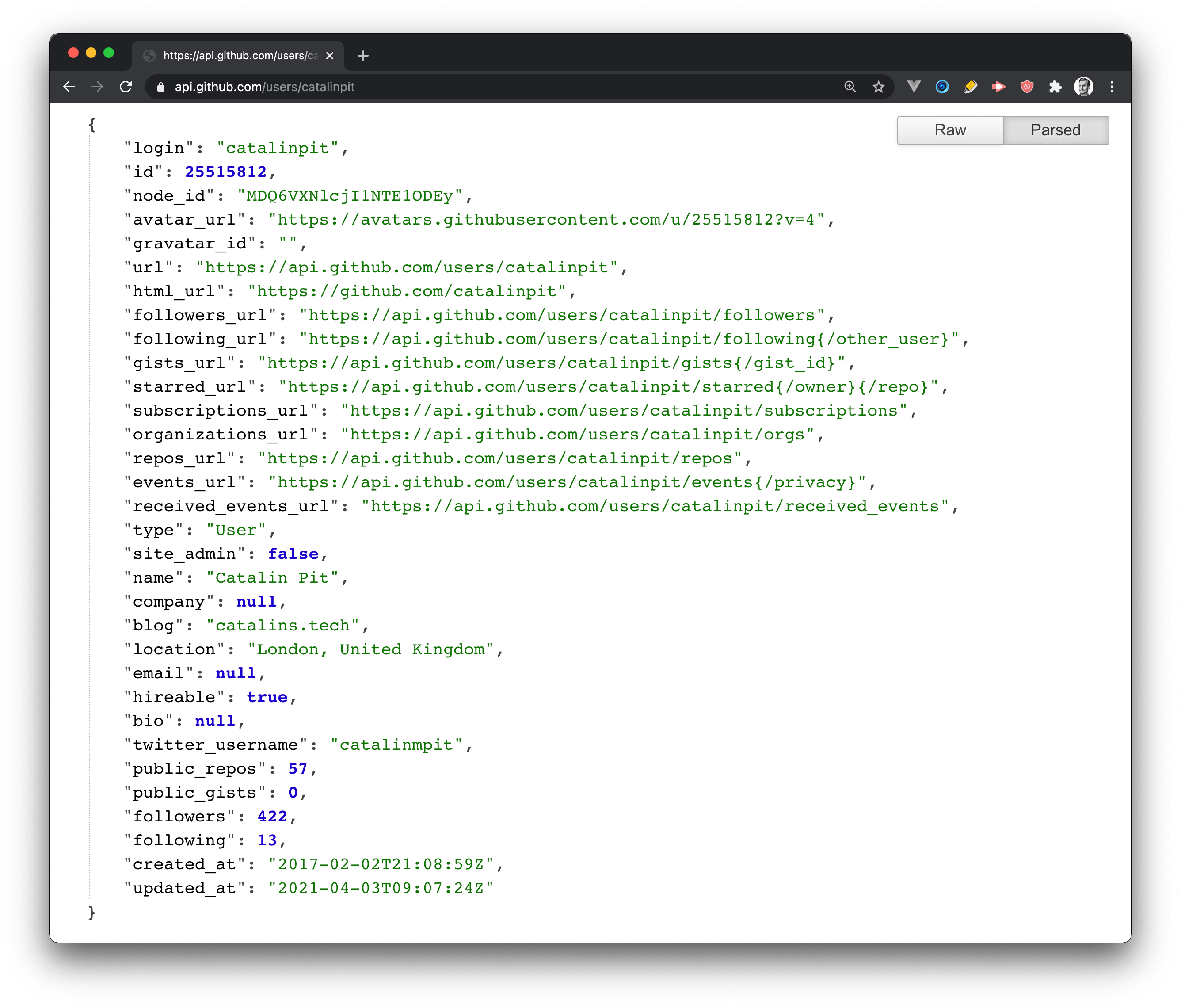
The above screenshot shows an example of using JSON Formatter. If you want to see how the raw data looks, without using a JSON extension, access this link in your browser.
4. Daily.dev
Daily Dev is a developer news aggregator that runs in the browser. Each time you open a new browser tab, you will get all the news from the developer world. It gathers news from more than 350 sources, and it's the easiest way to stay up-to-date with the latest tech news!
Why would you use this extension instead of other sources?
- it's effortless - you only have to install it in your browser, and you get all the news without any effort from your side
- no registration needed - you do not have to register to use it or read the news
- it's free
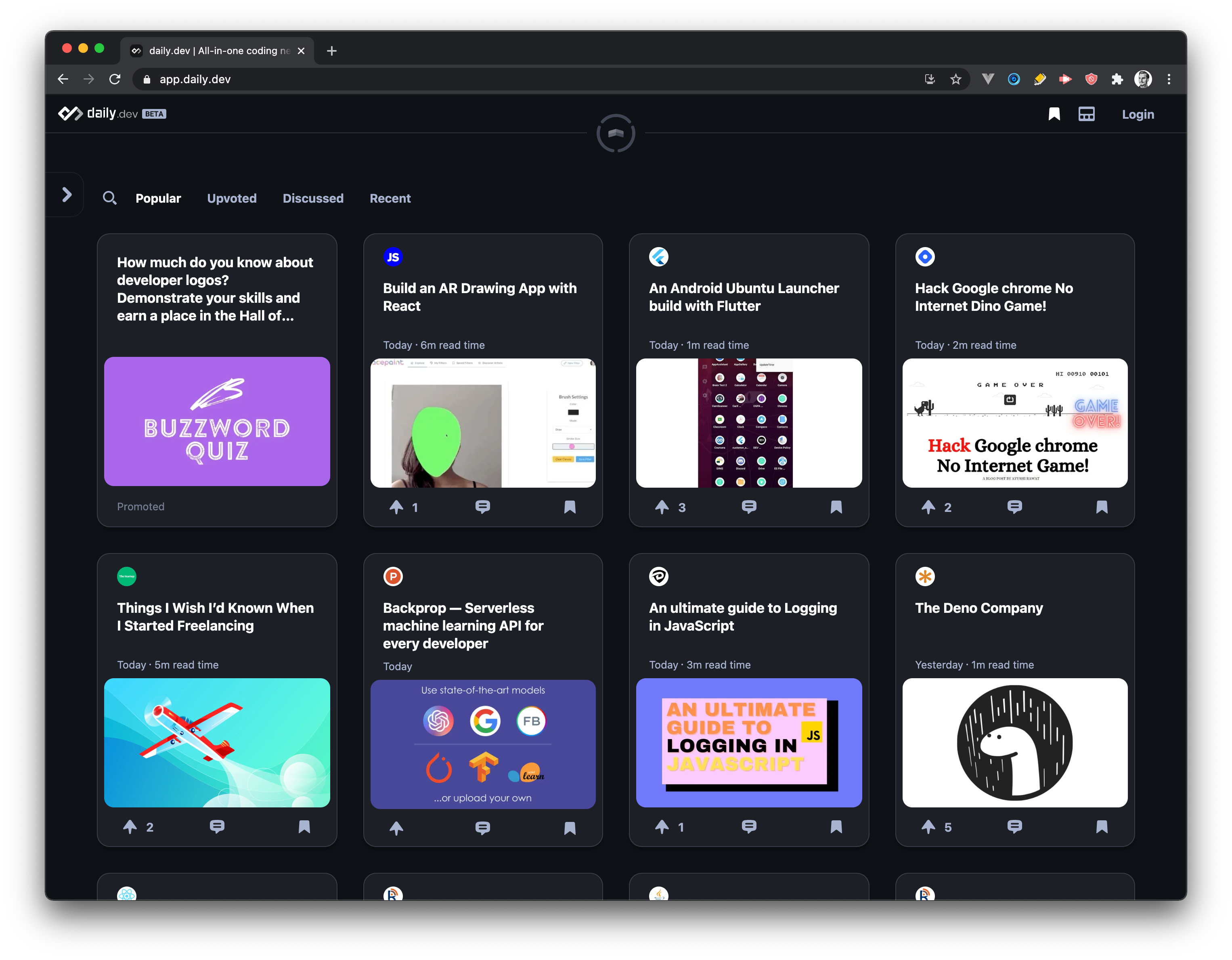
The screenshot above illustrates the extension in my browser.
5. Clear Cache
Sometimes you want to clear your browser cache, and you know that it takes a few clicks to do it. Luckily, there is a browser extension that allows you to clear your data with one click.
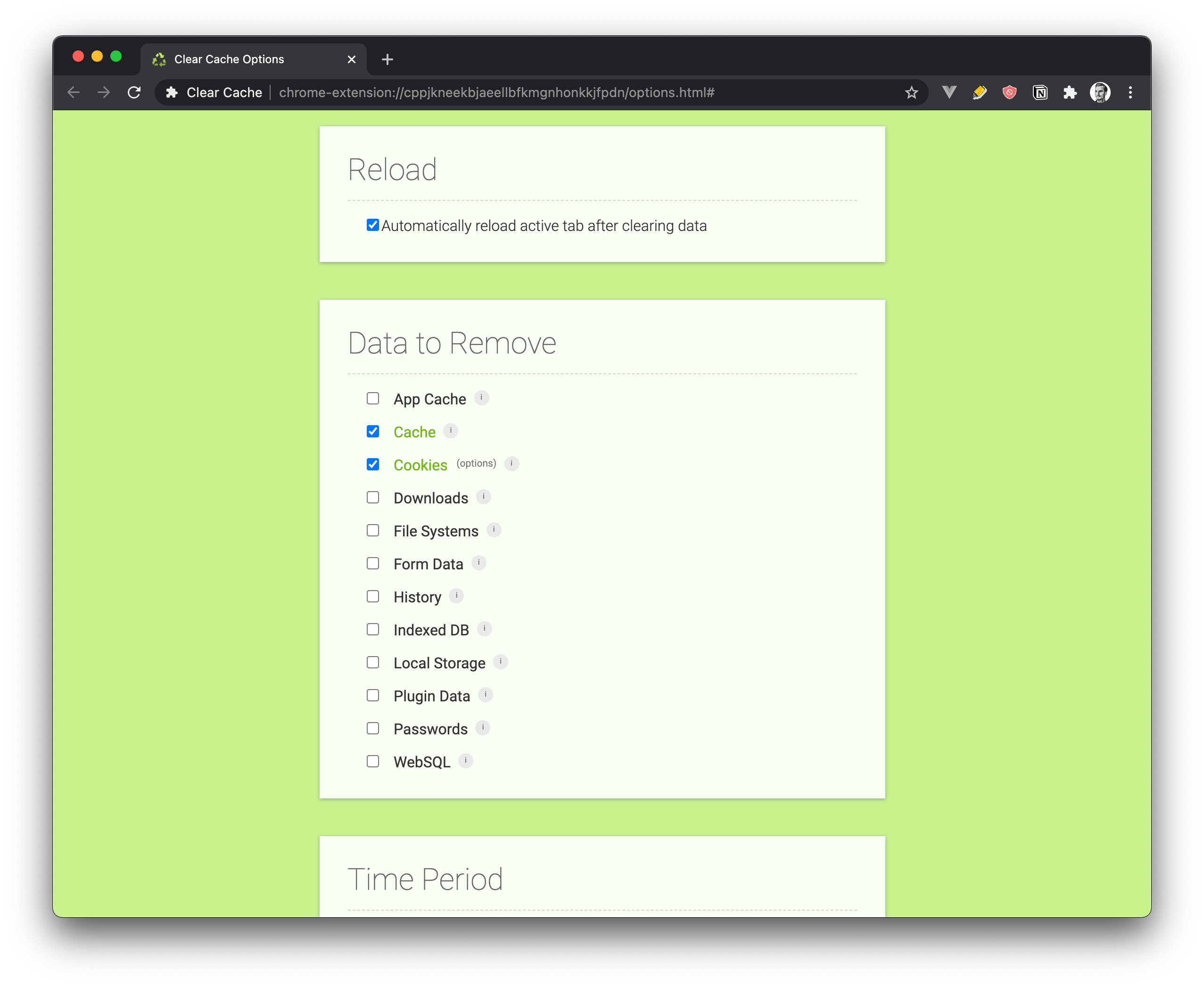
The screenshot above illustrates a part of the application. You can see that you can customize what data to clear. You can choose between App Cache, Cache, Cookies, Downloads, File Systems, Form Data, History, Indexed DB, Local Storage, Plugin Data, Passwords and WebSQL.
Clear Cache extension improves your productivity because you can clear your cache in one click, eliminating multiple steps.
6. Wappalyzer
Wappalyzer is a browser extension that allows you to see the technologies behind web sites and web applications.
With this extension, you can find the following information:
- the CMS used
- the framework, e-commerce platform or JavaScript library used
- payment processors
- marketing and analytics tools
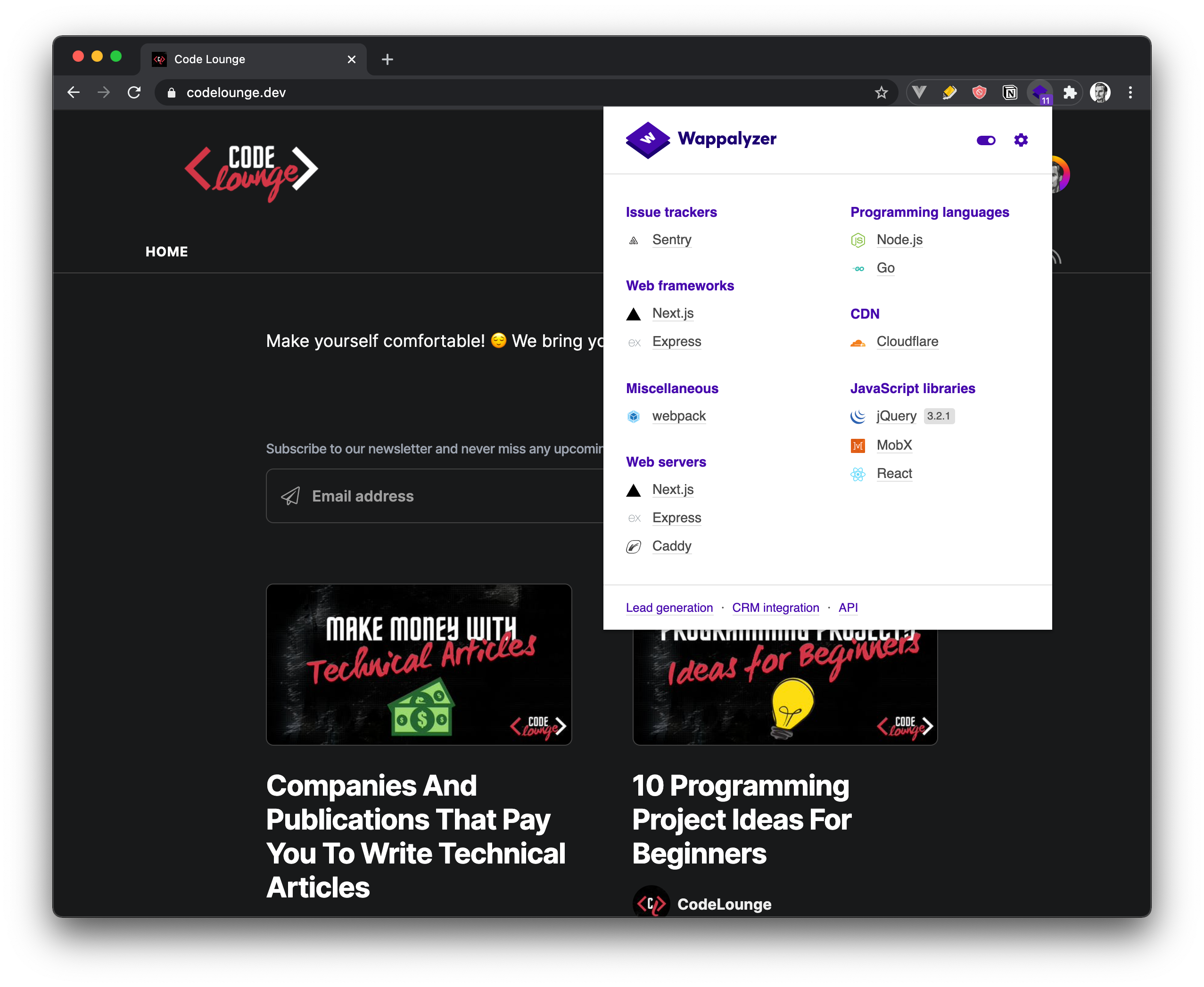
The image above illustrates the extension in action. The Wappalyzer shows the technologies used to build our blog - codelounge.dev.
7. Open in VS Code
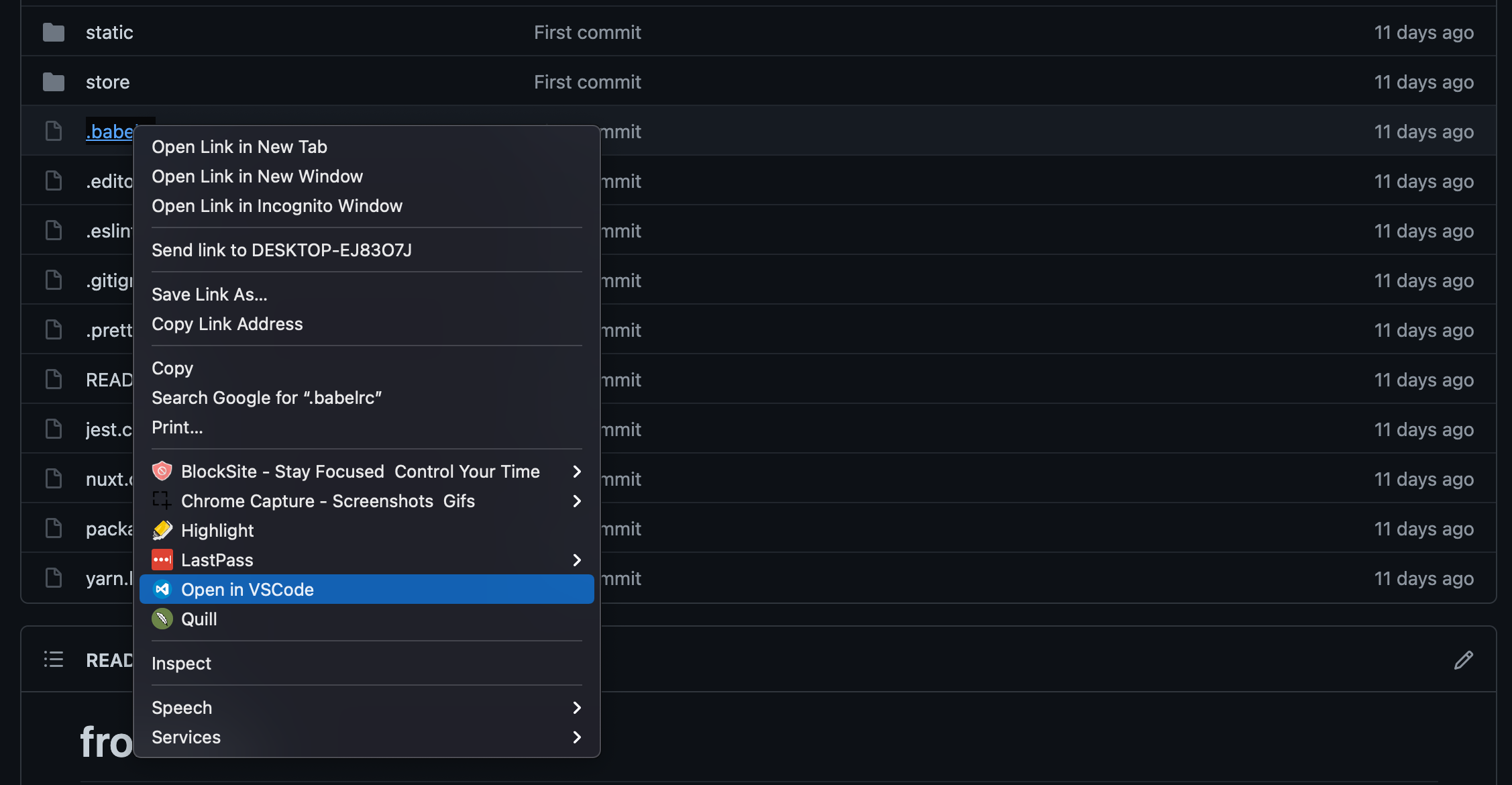
"Open in VS Code" is a handy feature that does just what the name says - it allows you to open Github and GitLab links in VS Code.
It's a huge time saver because it eliminates time-consuming steps such as downloading the files and manually opening them in VS Code. All you have to do is to right-click on the file and click on the option saying "Open in VS Code". The image below illustrates that.
8. CSSViewer
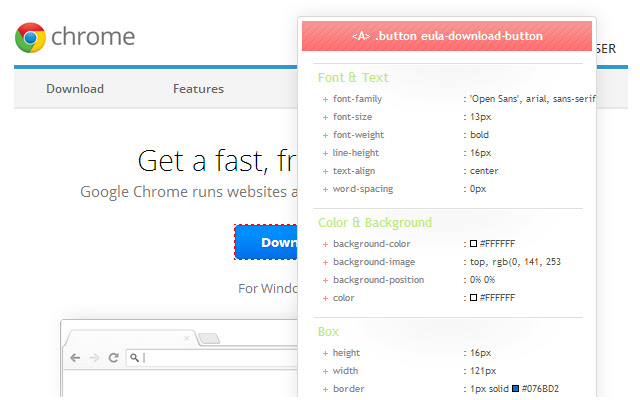
The "CSS Viewer" extension allows you to inspect elements from web sites and see their CSS properties. It's a time-saver because you can quickly see the CSS of elements rather than inspecting it and searching for the CSS separately.
You can see the "CSS Viewer" extension in action in the image above.
9. Fake filler
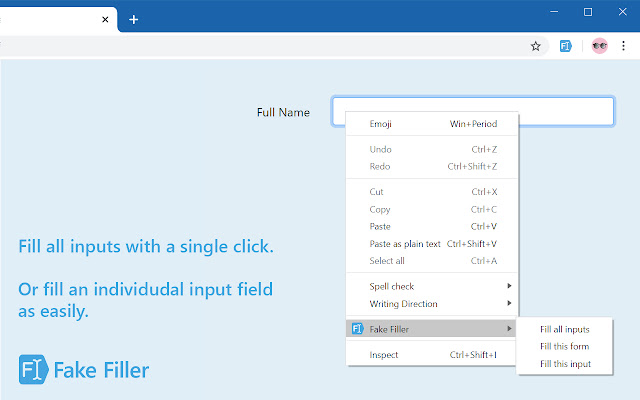
Sometimes, when you test your applications, you need to enter dummy information into forms. Rather than completing the forms manually, why not use the "Fake filler" extensions which does that for you automatically?
This browser extension saves you a lot of time, as it completes the fields with random data within seconds. It's a true time-saver, and I highly recommend it! You can see it in the figure below.
10. Devo
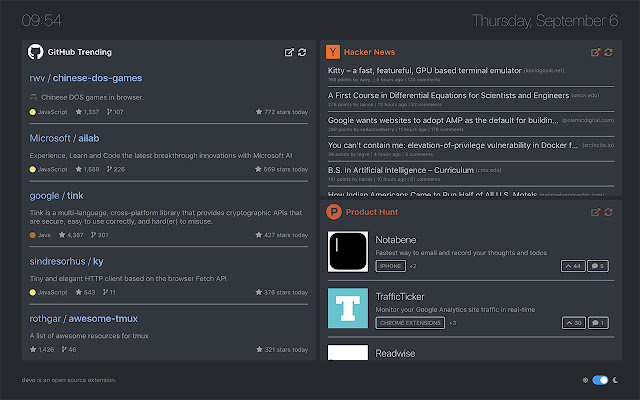
Devo is a browser extension that helps you to stay up-to-date with the latest dev news! This browser extension curates information from sources such as:
- GitHub trending
- Hacker News
- Product Hunt
And many more. You can see the extension in the picture below.
Note: It's important to note that you cannot use Devo and Daily Dev at the same time. You have to choose between them. Also, if you would ask me, I prefer the Daily Dev extension rather than this one.
13. Lorem Ipsum Generator
There are various use cases where you might want a big chunk of placeholder text. Luckily, the "Lorem Ipsum Generator" can help with that!
This browser extension allows you to generate random text between 1 to 5 paragraphs and 1 to 20 sentences per paragraph.

The image above illustrates the extension in actions. It's super handy when you have to use placeholder text!
14. Web Developer Checklist
The "Web Developer Checklist" extension analyses web pages and checks for violations of best practices. It's a convenient tool that allows web developers to discover problems with any website on the internet.
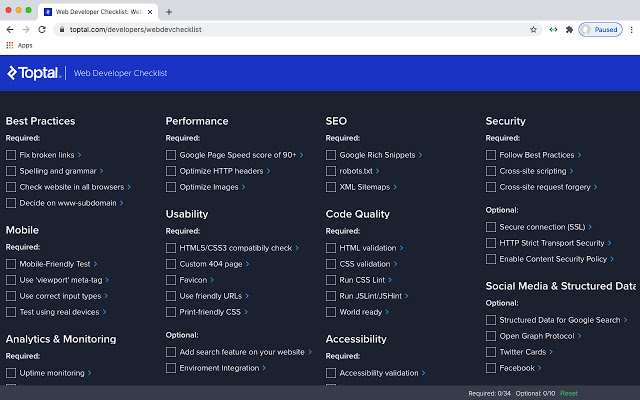
All you have to do is install the extension and then run it on any websites you want to check. Depending on the website, it will tell you what the issues are and how can they be improved or fixed. If you care about SEO, speed, accessibility, and so on, you want this extension!
15. EditThisCookie
This browser extension is a cookie manager that allows you to do the following with cookies:
- add
- delete
- edit
- search
- protect & block
"EditThisCookie" is one of the most popular cookie managers, with 2,000,000+ downloads and 4.5 out of 5 stars (rated by 11,450 people). Besides that, it's Open Source (you can contribute to it) and it supports over twenty languages. I highly recommend it!
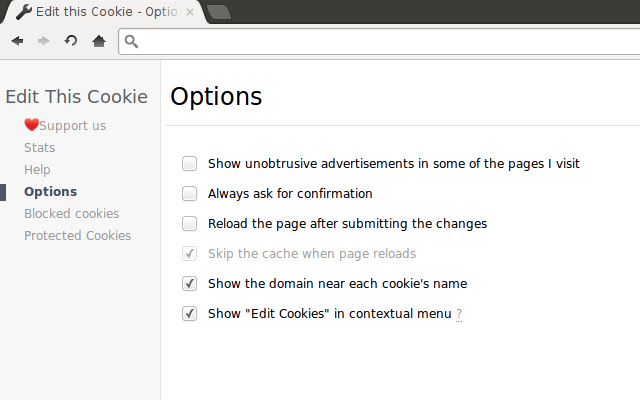
The above image illustrates an example with some of its features.
16. QuickCode
The "QuickCode" browser extension curates free online programming courses and displays them in your browser tab! It includes lessons from companies/platforms/Universities such as Udacity, Coursera, Udemy, EDX and many more.
You can also browser courses by the programming language. You can choose from Java, Python, JavaScript, Node, Vue, and many more! The figure below shows the extension!

Conclusion
These browser extensions are helpful, and they increase your productivity! However, the list is not exhaustive, so feel free to add more in the comments!
We're looking forward to seeing other suggestions!
Also, it's important to note that some might be available for other browsers, whereas some might not! The browser extensions from this article are recommended for the Chrome browser. However, most of them are available in other browsers too!
Comments
Join the discussionI loved!
Very useful, didn't know about CSSViewer, JSON formatter. Thanks for sharing
Very useful list. Thanks for putting this together!
Very useful! Thank you!!
superb!. Very handy and useful extentions. Specially I like the QuickCode and Web developer checklist
Bookmarked! Very useful extensions! I didn't know about the Pomodoro one :)
Useful article. Pomodoro Assistant and Fake Filler is definitely going to increase my productivity.
Hi, if you use BlockSite then there is an option call Focus Mode which works like Pomodoro Assistant.
Raju Hossain Shorif Thanks! Will check that out as well :)


